Systems / Master Tracking System
Master Tracking System
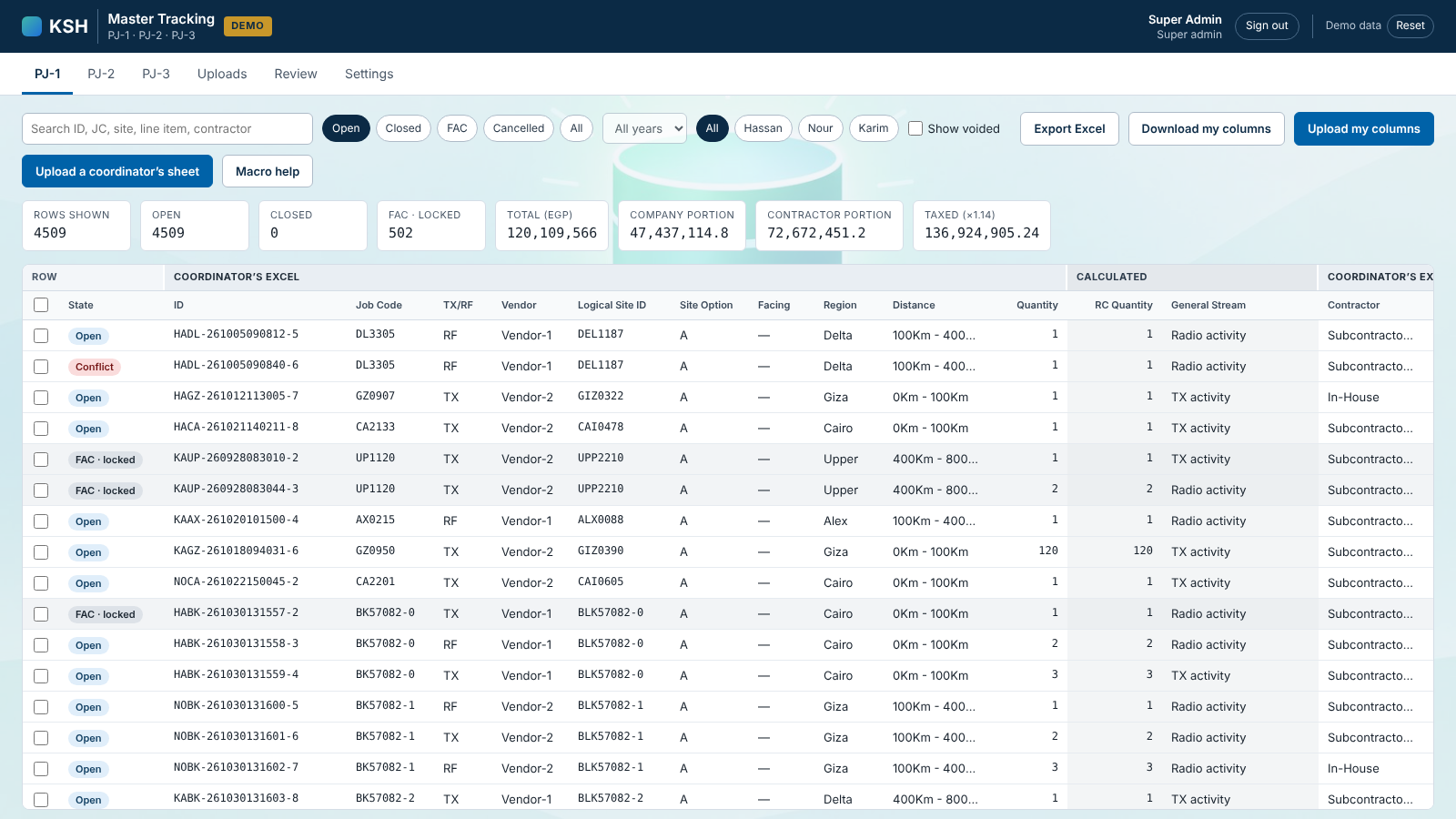
Coordinators keep their Excel sheets and upload them; the system checks every row, prices it, and gives acceptance, cost control and the PM their own columns, from assignment to invoice.
- AREA
- Telecom operations
- USERS
- Coordinators, PM, acceptance, cost control
- BUILT
- Oct 2026
- RUNS ON
- Supabase · Postgres · RLS · Edge Function · Cloudflare Pages
01 · THE PROBLEM
One task, five people, one version of the truth
Three telecom projects run through several coordinators. Each task then passes through acceptance, purchase orders and invoicing, and every price, contractor split and tax value has to be right before it is billed.
BEFORE THE SYSTEM
Each coordinator kept his own Excel tracker, and acceptance, PO and invoice details were added to copies of it by hand, so no two files fully agreed.
02 · WHAT IT DOES
- a.Coordinators upload their Excel sheet. Every row is checked, and the whole file is applied or refused with a row-by-row list.
- b.Prices, distance factors, the company and contractor split and the 14% VAT are calculated by the database, never typed.
- c.Each role edits only its own columns, in the grid, in bulk or through its own Excel file. Acceptance (FAC) locks the site data for coordinators.
- d.Nothing is deleted: every change is logged, conflicts and missing rows go to a review page, and a backup is one click.
03 · HOW IT'S BUILT
The rules live in the database
INPUT
Coordinators' Excel
The same templates they already use, with a macro that stamps row IDs.
SUPABASE · POSTGRES
Check, price, secure
Every check and calculation runs in SQL functions; the browser can read but never writes a table.
OFFICE ROLES
PM, acceptance, cost control
Their own columns, bulk edit and Excel exports, up to the invoice.
04 · HOW IT EVOLVED
Three versions of one tracker
- VR-1 Master Tracking Grid One shared grid on Google Sheets and Apps Script, replacing the coordinators' Excel sheet, with locked rows.
- VR-2 Tasks Tracking & Invoicing Read the tracking workbook to show where every task stands and which are ready to invoice.
- VR-3 Master Tracking System Supabase and Postgres: Excel uploads checked row by row, every rule in SQL, a column set per role.